Netflix with Korean and English subtitles at the same time
Netflix lets you pick one subtitle track at a time. If you want the Korean line with English underneath, you keep switching in the menu. SubLater adds the second line for you. Dual subtitles are free.
At a glance
- A Chrome and Whale extension for your computer (on Mac and iPad, the App Store app in Safari)
- Dual subtitles stay free after the trial
- The second line only appears if the title has that subtitle track. It’s Netflix’s own subtitle, not machine translation
14-day full trial · the core features stay free forever
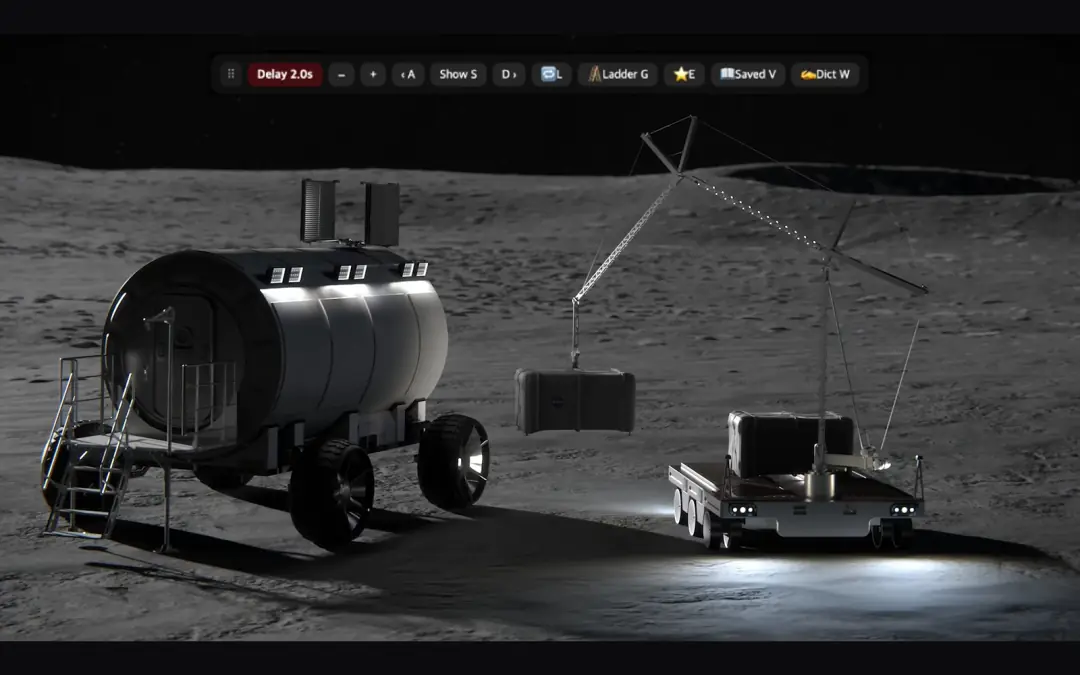
Illustration: the main line with the second line underneath. The scene is a NASA public-domain video, not Netflix.
Turn it on in Netflix
- Install SubLater in Chrome or Whale on your computer.
- Reload any Netflix tab you opened before installing.
- Play a title and pick Korean subtitles in Netflix’s subtitle menu.
- An English line appears under the Korean one. If it doesn’t, press T.
T second line on/off Z re-align both lines −/+ delay off/on / shortcut card
Both lines arrive a beat late, on purpose
SubLater was built to show subtitles a beat after the audio (2.0 s on the free plan), so you hear each line before you read it. The second line comes with the main one. It isn’t broken.
If you just want both subtitles right away, bring the delay down to 0 s. On the free plan, one press of − does it. During the 14-day trial each press takes off 0.5 s, so keep pressing until it’s at 0. Zero delay is free too. Press + to bring the delay back.
The second line doesn’t show up
- Check Netflix’s subtitle menu. If the title has no English subtitles, there’s nothing to show under the Korean line.
- Right after playback starts, the second line can take a few seconds to join. If the two lines get out of step, press Z.
- If another subtitle extension (Language Reactor, for example) is on, you may see two sets of subtitles. Press X to hide the other extension’s subtitles.
Learning English instead?
It works the other way too. Pick English subtitles and a Korean line appears below. Dual subtitles only work for the Korean and English pair.
On iPad and Mac
Get the SubLater app from the App Store and open Netflix in Safari. It doesn’t work inside the Netflix app. iPad needs iPadOS 18 or later. There’s no keyboard, so turn the second line on or off with the “Dual subtitles” switch under ⋯ in the SubLater buttons on the right.
What’s free
You get every feature for 14 days. After that nothing locks; the free plan keeps going.
Free
Delay off or on (2.0 s), dual subtitles, line navigation, replay and loop, auto-pause, word lookups, 10 scored dictation lines a day, 50 saved linesPro
Delay from 0 to 5 s in 0.5 s steps, Reveal mode (subtitles wait for S), unlimited dictation and more · PricingFAQ
Does it work for other language pairs?
No. Dual subtitles are Korean and English only.
Does it work on YouTube or Coupang Play?
Both work. On YouTube, though, the second line is YouTube’s auto-translation, so it’s machine translated and sometimes doesn’t show up. Turn on CC first; Shorts aren’t supported. On Coupang Play, turn subtitles on in the player and the title’s own second-language track appears below.
Does it work on a phone?
Not for Netflix. It can’t be installed on Android phones, and on iPhone the App Store app works for YouTube only. Watch Netflix on a computer, iPad or Mac.
Install
Whale StoreMac · iPad Safari — App Store
14-day full trial · the core features stay free forever